 Family of Brands
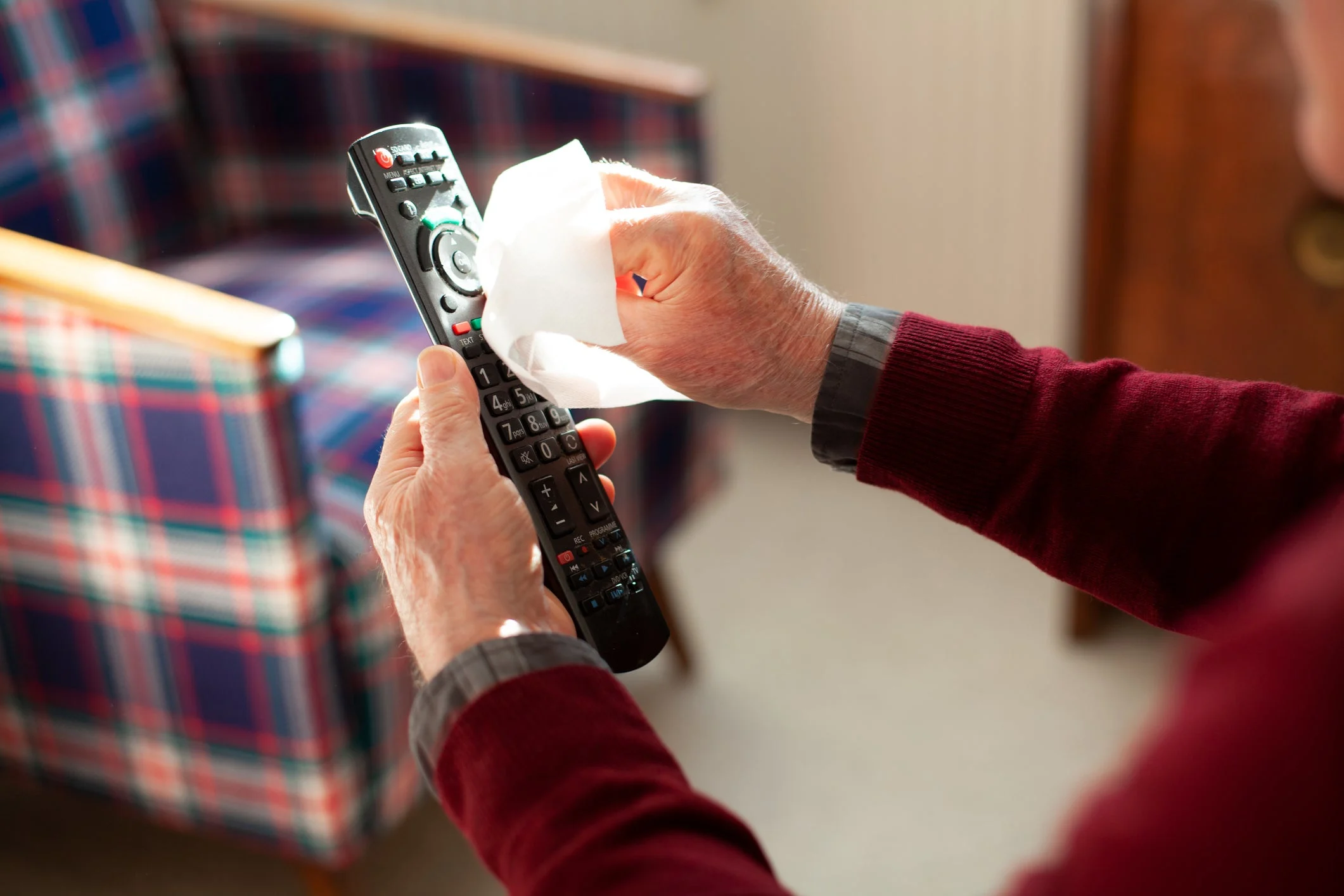
Remote controls are some of the most frequently touched items in the home. From TV remotes to gaming controllers, they collect dirt, oil, crumbs and germs over time. Learning how to clean a remote control properly helps keep your devices working well while maintaining a cleaner home environment.
Remote controls are high-touch surfaces used daily, often by multiple people in the household. Over time, they accumulate skin oils and fingerprints, dust and debris from living spaces, food crumbs and spills, and germs from frequent handling.
Your TV remotes and gaming controllers see a lot of action. To keep them clean, wipe them down about once a week to prevent the buildup of dirt, oils and germs from regular use. During cold and flu season, or if someone in your house is sick, disinfect them daily to help reduce the spread of bacteria and viruses on surfaces. Regular cleaning also helps keep buttons working properly over time. Always follow manufacturer instructions for cleaning and disinfecting electronics.
Always follow manufacturer instructions for cleaning and disinfecting electronics.
Take out the batteries to prevent damage and ensure safe cleaning.
Gently tap the remote over a trash bin to remove crumbs or dust trapped between buttons.
Use Clorox™ Disinfecting Wipes to thoroughly wipe down the entire surface of the remote, including the back, sides and button areas. Make sure the wipe is damp, not dripping, and avoid oversaturating the device. To sanitize, wipe surfaces until visibly wet and allow the surface to remain wet for the contact time listed on the product label before air drying. Always follow manufacturer instructions for cleaning and disinfecting electronics.
Surface should stay visibly wet for 30 seconds to sanitize.
Allow the remote to air dry fully before reinserting batteries.
Make sure the device is off before cleaning.
Use Clorox™ Disinfecting Wipes to clean the exterior of the controller, focusing on high-touch areas like grips and buttons.
Surface should stay visibly wet for 30 seconds to sanitize.
Take a fresh Clorox™ Disinfecting Wipe and carefully clean around each button. Press buttons gently while cleaning to help loosen debris that may be trapped underneath.
For sticky buttons, repeat light cleaning rather than soaking or scrubbing aggressively.
Let the controller air dry completely before turning it back on or replacing batteries.
To avoid damage while still removing dirt, grime and germs, follow these simple do's and don'ts for cleaning your remote control the right way.
| Do | Don't |
|---|---|
| Do remove batteries before cleaning | Don't clean while the device is powered on |
| Do clean regularly to prevent buildup | Don't wait until buttons become sticky or unresponsive |
| Do let the remote fully dry before use | Don't reinsert batteries while moisture is present |
| Do focus on high-touch areas like buttons | Don't use abrasive cleaners that can damage surfaces |
Always follow manufacturer instructions for cleaning and disinfecting electronics. To clean sticky controller buttons without rubbing alcohol, you can use a Clorox™ Disinfecting Wipe or dampen a soft cloth or cotton swab with a bit of warm, soapy water. Gently wipe around and under the buttons, making sure not to let excess moisture seep into the controller. After cleaning, dry the area with a cloth and let the controller air dry completely before using it again.
According to the CDC, isopropyl alcohol (at least 70%) is great for cleaning controllers because it evaporates quickly and safely removes dirt, oils, and grime without harming most surfaces. It's especially handy for cleaning around buttons and tight spaces where sticky residue can accumulate. Just remember to apply it lightly with a cloth or cotton swab and avoid soaking the controller to keep moisture from getting inside.
Always follow manufacturer instructions for cleaning and disinfecting electronics. Disinfectant wipes are generally safe for cleaning game controllers, especially high-touch areas like buttons and grips. To disinfect, wipe the controller and allow the surface to remain visibly wet for 4 minutes.
If your remote control buttons aren't working, it could be due to worn-out batteries, dirt or debris blocking the contacts, or internal damage from spills or corrosion. Start by replacing the batteries. Next, clean around the buttons with a Clorox™ Disinfecting Wipe, soft cloth or a cotton swab lightly dampened with rubbing alcohol. If that doesn't solve the problem, the internal contacts might be damaged, and you may need to consider professional repair or replacement.
Always follow manufacturer instructions for cleaning and disinfecting electronics. To disinfect and sanitize your TV remotes and video game controllers, start by removing any batteries or unplugging the device. Use a Clorox™ Disinfecting Wipe or a soft cloth lightly dampened with 70% isopropyl alcohol to clean, making sure to carefully wipe around buttons and edges without letting moisture seep inside.